Bryn is a Worker of the Obsidian Throne and a crew lead. You meet her in the first missions of the campaign, The Gift. Bryn has no model of her own. She is the Worker unit with her own mark, her own portrait background and her own voice. So the story of Bryn's body is the story of the Worker, and of every ant in Swarm Front.
This post follows that body from a text prompt to a unit that runs, digs and fights in the game. There are eight steps:
- The concept art ChatGPT
- The character sheet ChatGPT
- The 3D model Tripo
- The clean-up Blender
- The rig Auto-Rig Pro in Blender
- The animation Mixamo and Blender
- The eyes and the compression Blender and Node
- Into the game three.js
You can turn the 3D models in this post with your mouse, and you can try three of our tools at the end.
1 The concept art
The look of the game started before the ants had bodies. The first concept images are in the first commit of the project. They show a legion of armoured ants in the style of Rome: a guard with a spear and a tall shield, and a war beetle that carries a gun crew. They are still the reference for the mood, the materials and the colours of the game.
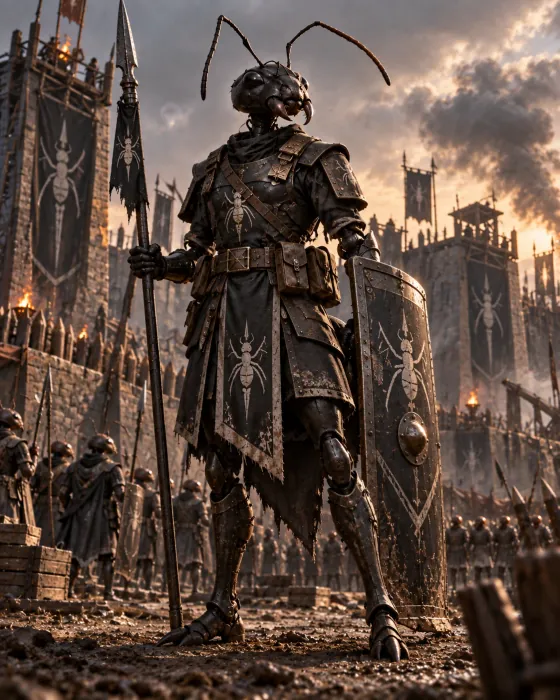
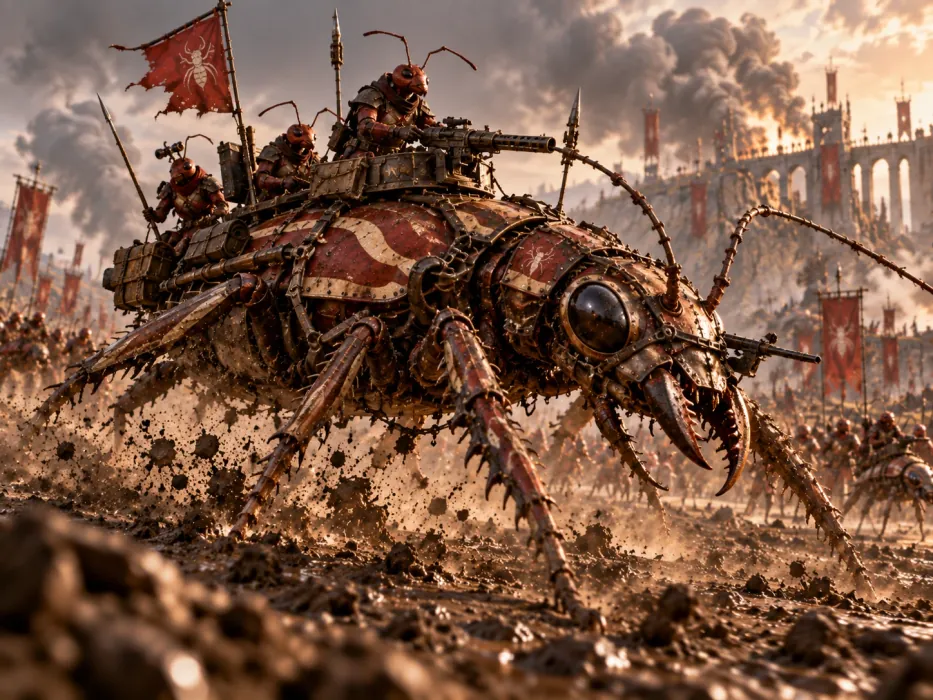
A painting like these is good for the mood, but a 3D pipeline needs a clear body. So every ant in the game starts with one prompt in ChatGPT. The prompt asks for all four castes at once, so that they share one look:
Anthropomorphised humanoid ant. Red ochre. Androgynous. Hourglass figure. No abdomen.

Humanoid mouth. No nostrils. Heroic proportions. Stoic expression.

Plain background.

One of each:

* General population / worker: Plain exoskeleton. Rounded figure, no armour.
* Light soldier: Light armour exoskeleton. Head like hoplite helmet. Angular shapes.
* Heavy soldier: Heavy armour exoskeleton. Head like hoplite helmer. Angular shapes.
* Royalty / healer: Tall, slender. Spikes emerging from shoulders and head.


Painterly art style, like a modern RTS video game.

No human anatomy: No nipples, no genitalia.
Some of these lines do more work than they seem to:
- "No human anatomy: No nipples, no genitalia." The last line can look like a joke. Without it, ChatGPT sometimes makes a picture that its own content filter then blocks, and you get no picture at all.
- "Androgynous." Even with the last line, some results come out sexualised. This word steers the model toward a figure that works as a soldier or a worker. Some results still have a sculpted body, so we pick the good ones and ask again for the others.
- "No abdomen." The ants of Swarm Front are people with ant heads: a human body, an ant head and no insect abdomen behind the hips. Because of this, a standard human skeleton and standard human animations fit them later.
- "Plain background." The later steps need a clean outline of the figure.
The result is four base images. They set the look for every ant that came after them.
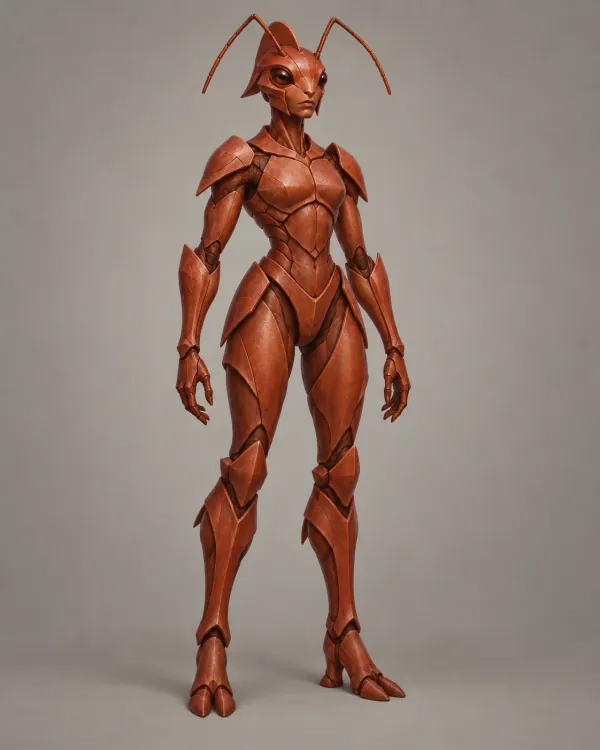
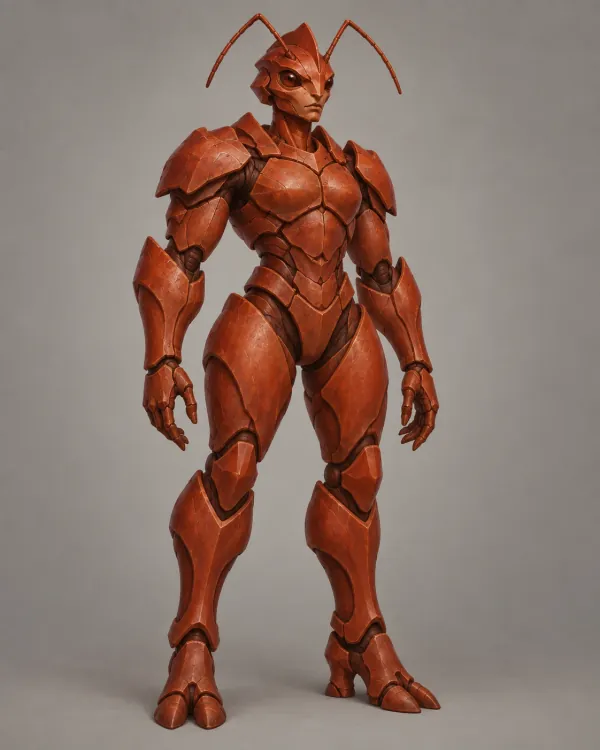
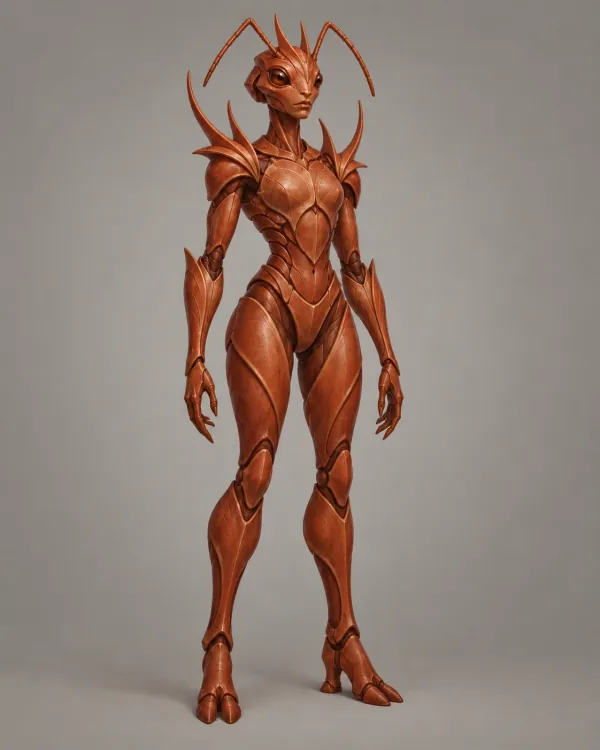
2 The character sheet
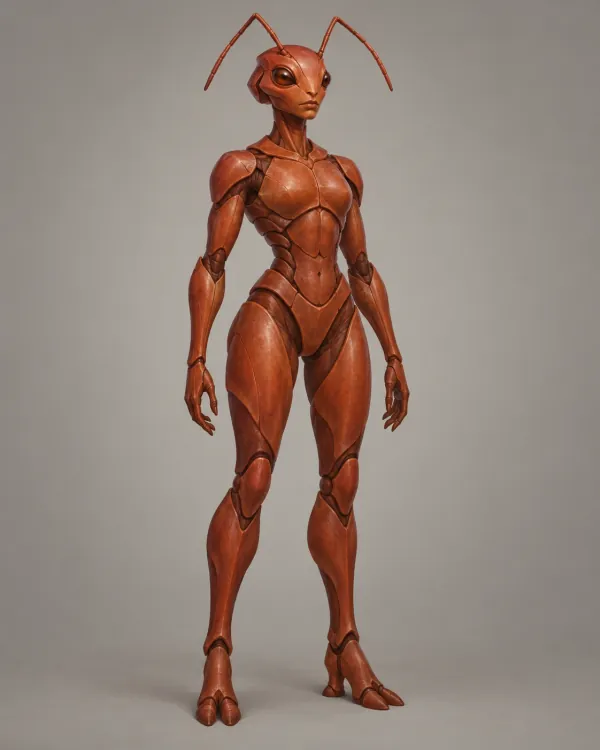
A concept image is good to look at, but it is bad to build from. The pose hides parts of the arms, and the light is dramatic. A second prompt turns each concept into a reference for the 3D model:
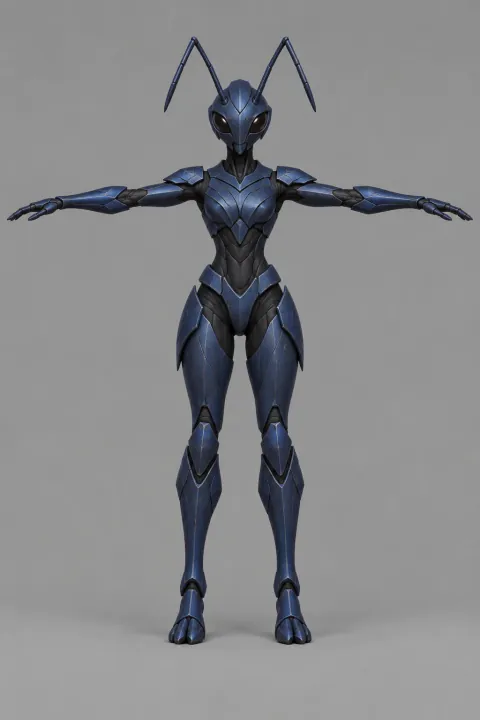
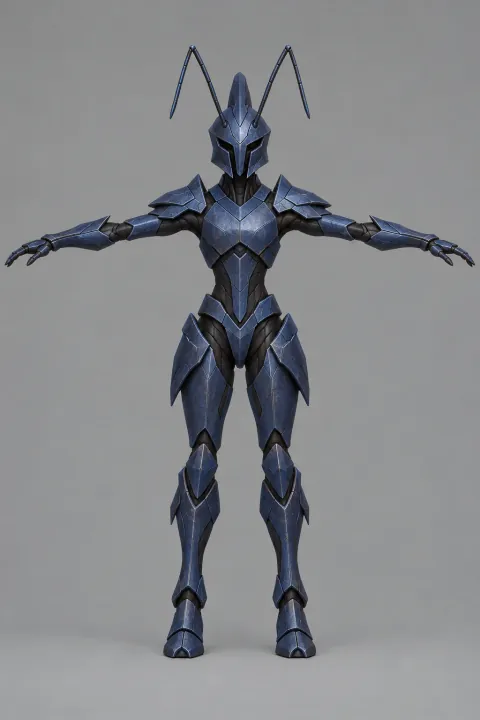
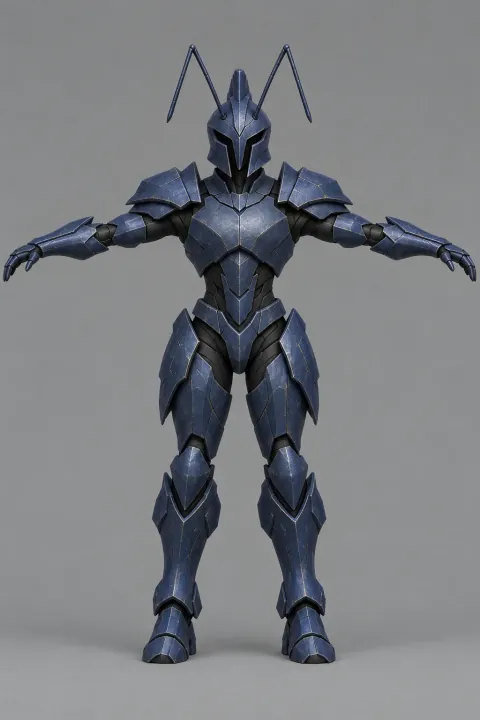
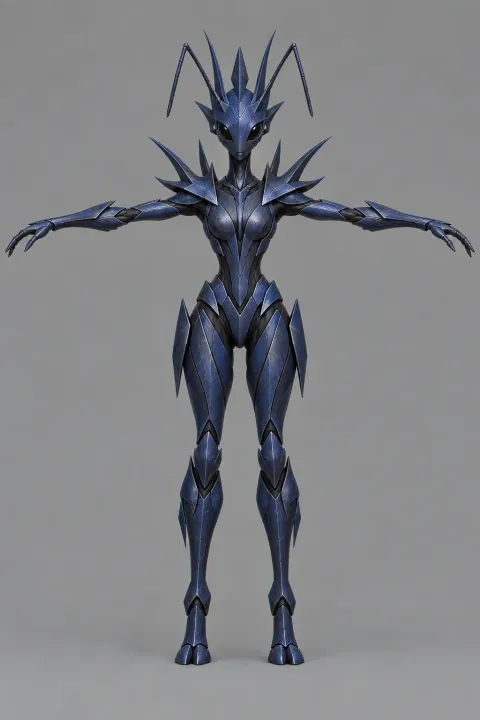
For each image, create a reference image for 3D modelling and rigging. Character standing in T-pose, palms facing downwards. Smooth even lighting. Plain background.
- T-pose. The arms go straight out and the legs stand apart. Every limb has clear space around it, so the 3D generator does not join an arm to the body or one leg to the other.
- Palms facing downwards. The hands are in the position that the auto-rigger expects.
- Smooth even lighting. The 3D generator paints the light of the image into the texture of the model. A shadow in the texture looks wrong under the light of the game, so the sheet must have none.
- Plain background. The outline of the figure stays clear.
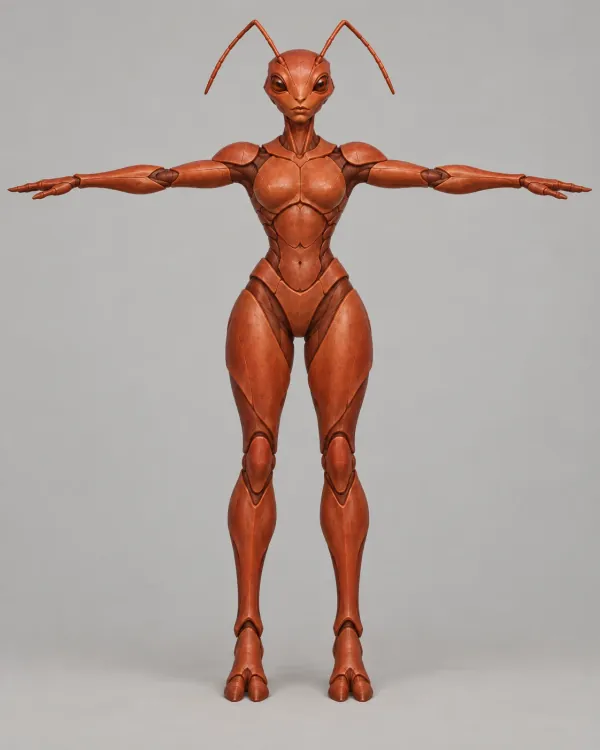
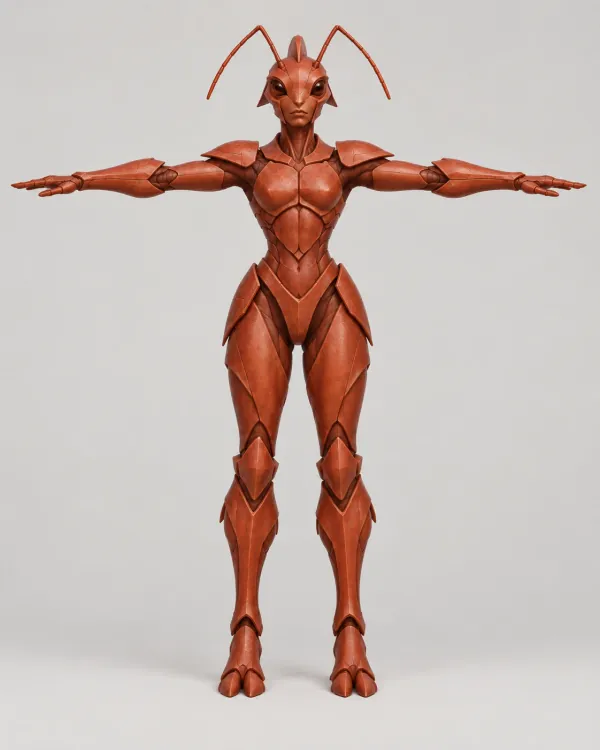
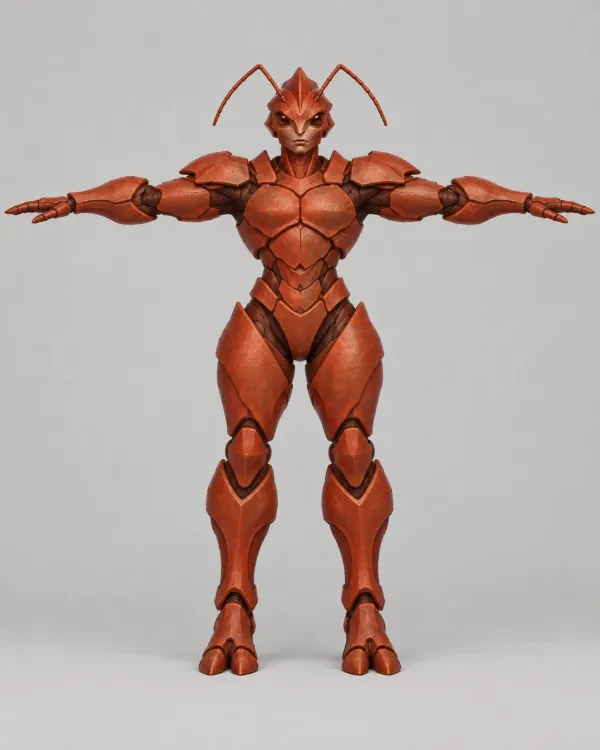
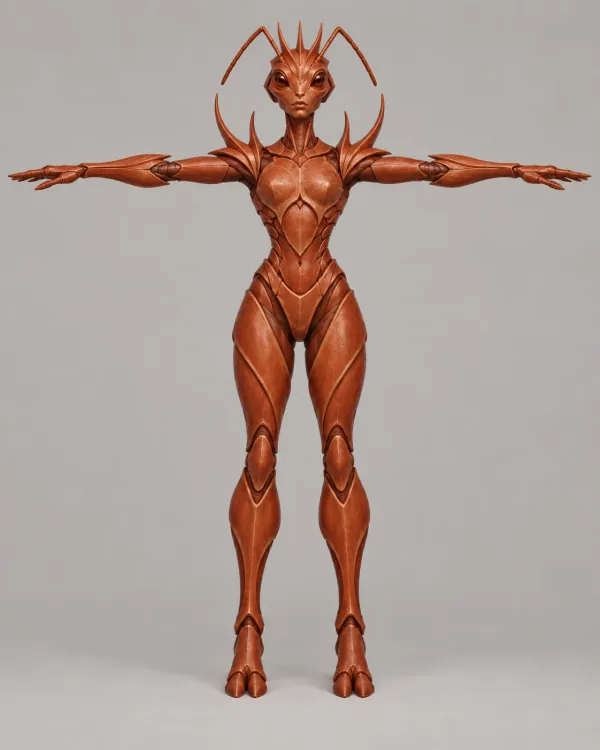
These red sheets are the base for every ant faction. One more prompt in ChatGPT turns them into the sheets of a faction. For Bryn's faction, the Obsidian Throne, the prompt was:
Create variants for the ironjaw ants. Ironjaw ants are a dark midnight blue. Shapes are angular with sharp edges.
"Ironjaw" is the first name of the faction that is now the Obsidian Throne. The game still uses it as the faction's name in the code. This set has a fifth caste, the Pilot, who flies the insect mounts. The Throne's Worker sheet is the image that became Bryn's body.
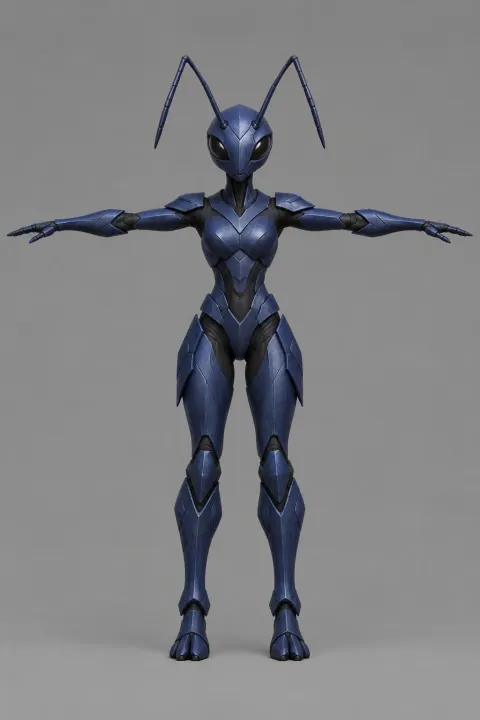
3 The 3D model
Tripo turns one image into a textured 3D model. We run its H3.1 image-to-3D model through fal, with PBR materials on and with the geometry and the texture quality set to "detailed". One image is enough, because the model makes up the back of the body. For the Worker, the raw model has about 1.9 million triangles in a 65 MB file. It stands 1.80 m tall, with the antennae.
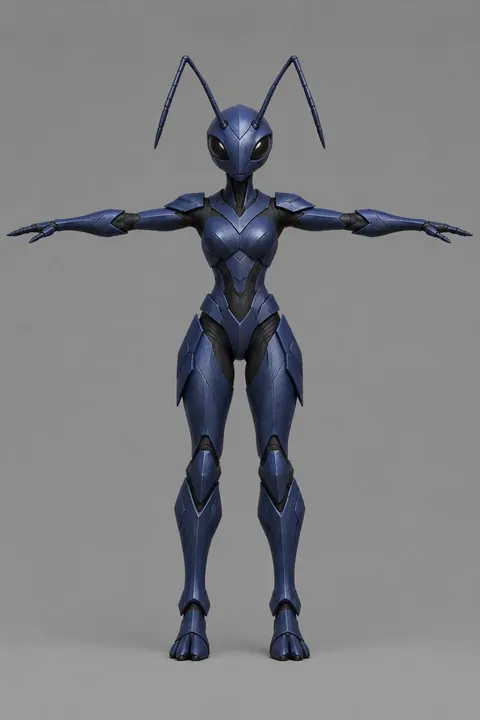
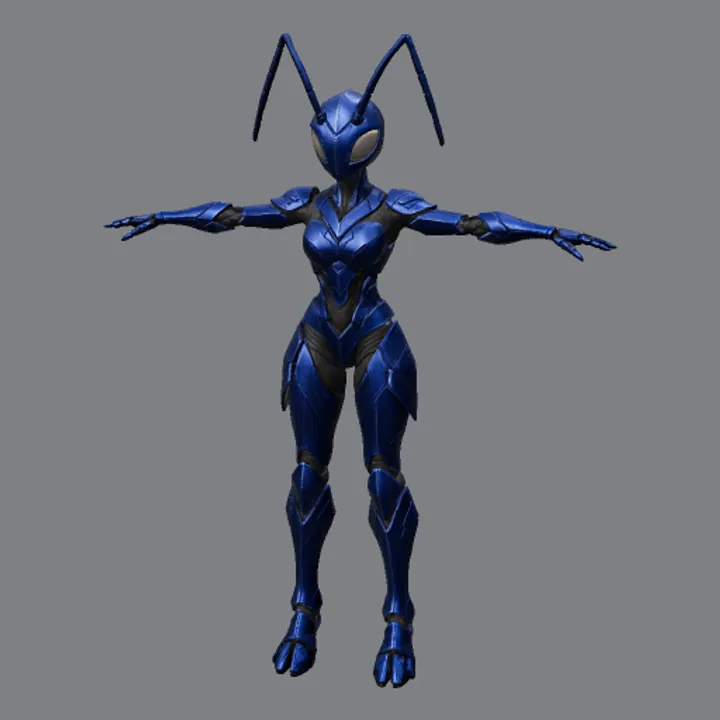
Two lessons came from this step:
- Keep a record. Each body has a spec file in the repository. It holds the source image, the request IDs, the tools and their versions, the triangle counts and measurements of the pose. Once, the Worker and the Pilot were built from each other's images. The record showed the mistake, and we swapped the two bodies back.
- The filters apply here too. The content checker refused one later Worker image, so the Worker kept its earlier body.
4 The clean-up
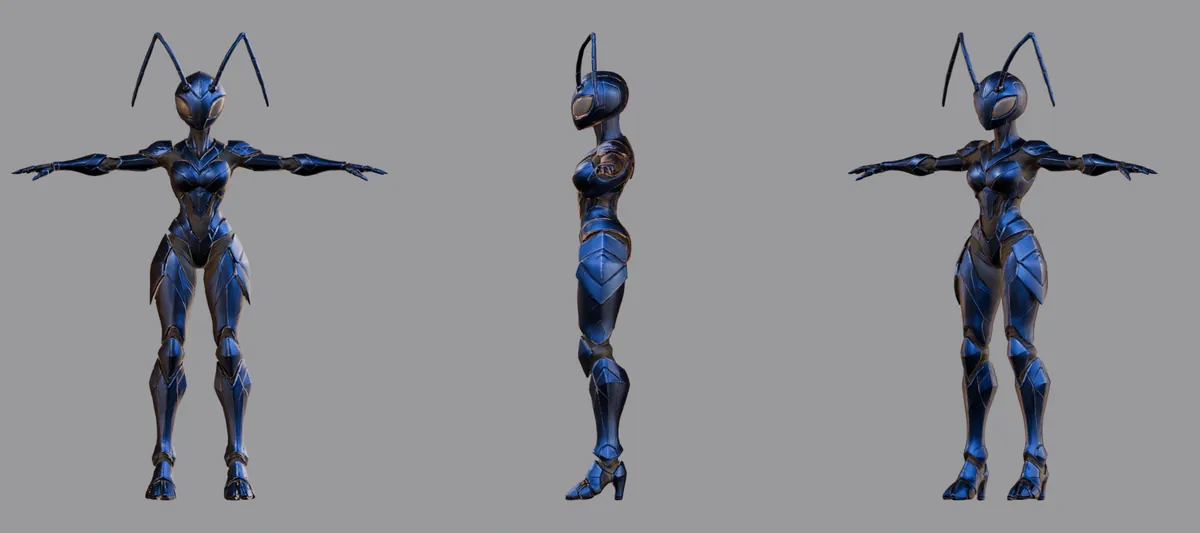
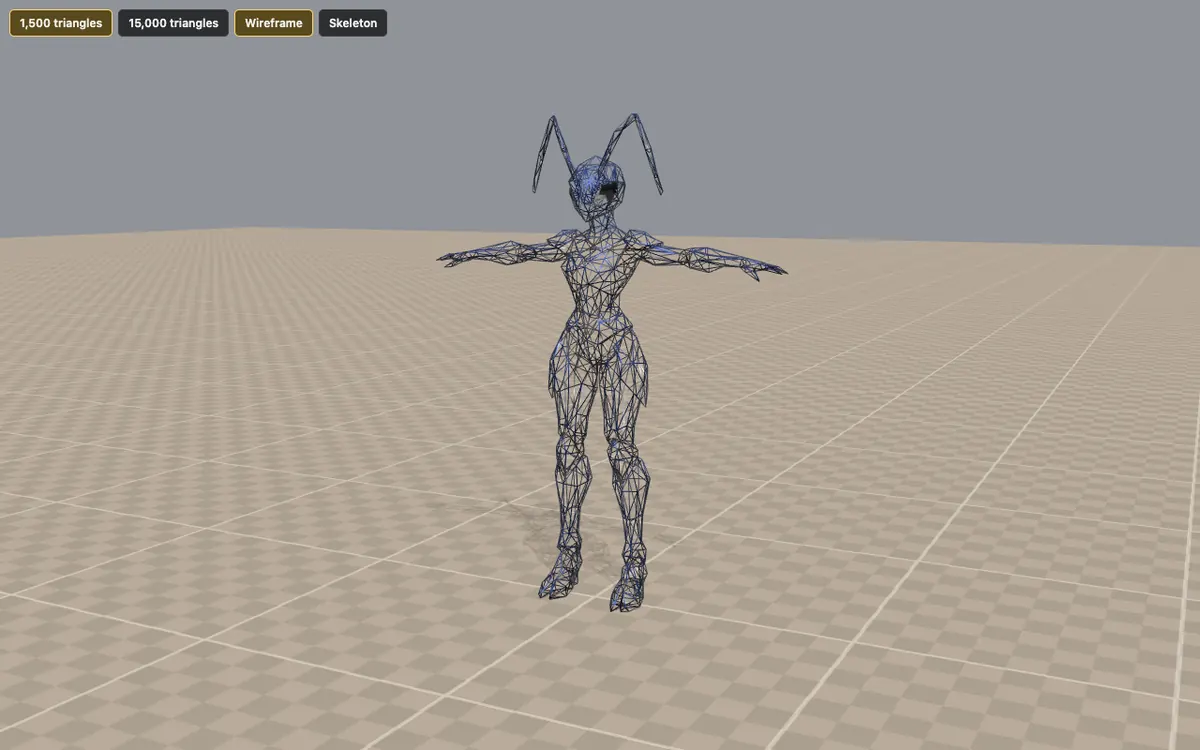
Two million triangles is far too many for a game that shows hundreds of ants at once. A Blender script runs without a window and does these steps:
- It scales the body to 1.8 m, puts the origin between the feet and turns the body to face forward.
- It cleans the mesh. It joins open seams and removes loose pieces and broken faces.
- It rebuilds the body as one closed surface (a voxel remesh), then reduces it to a triangle budget.
- It makes a new texture layout, then bakes the colour, the surface detail (a normal map), the metal and the roughness from the original model onto the new one.
The script makes two builds. The detailed build has 15,000 triangles and 2048-pixel textures, for close views and our tools. The battlefield build has 1,500 triangles and 512-pixel textures. The normal map keeps the edges of the plates that the lost triangles used to show.
5 The rig
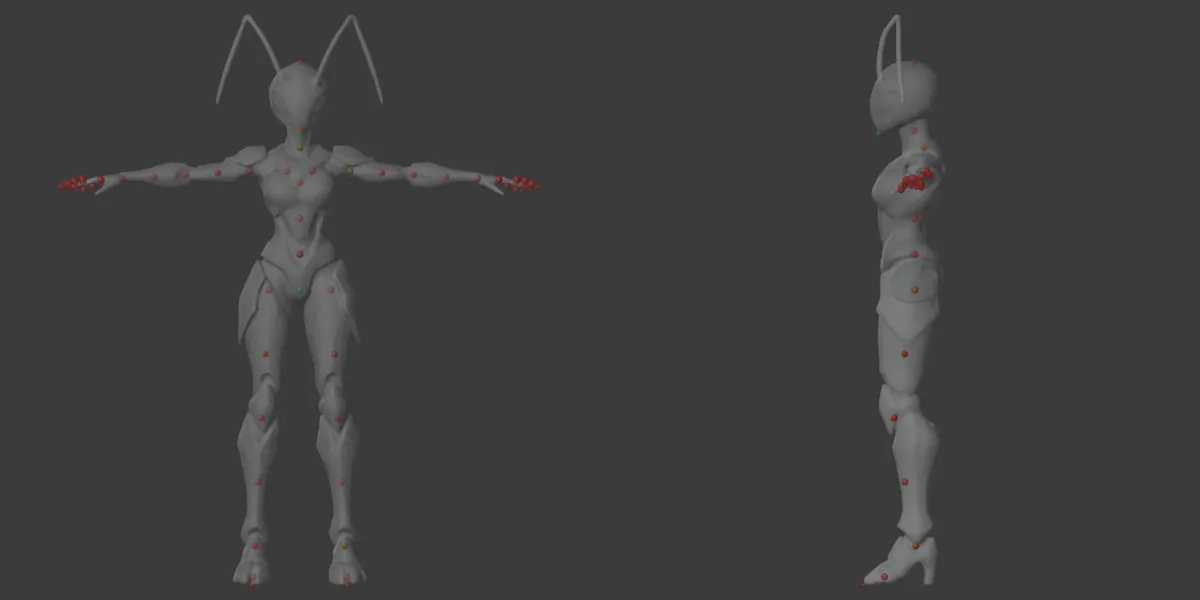
A rig is the skeleton that moves the mesh. Mixamo's auto-rigger does not handle every body that we make, so we use Auto-Rig Pro in Blender, through a script. The script measures the mesh and puts the markers of Auto-Rig Pro in place: the chin, the neck, the shoulders, the wrists, the base of the spine and the ankles.
The spec file holds the fixes for each body. Examples are the path of each antenna, a fix for claw hands, and a split for legs that nearly touch, so that one leg never pulls the other.
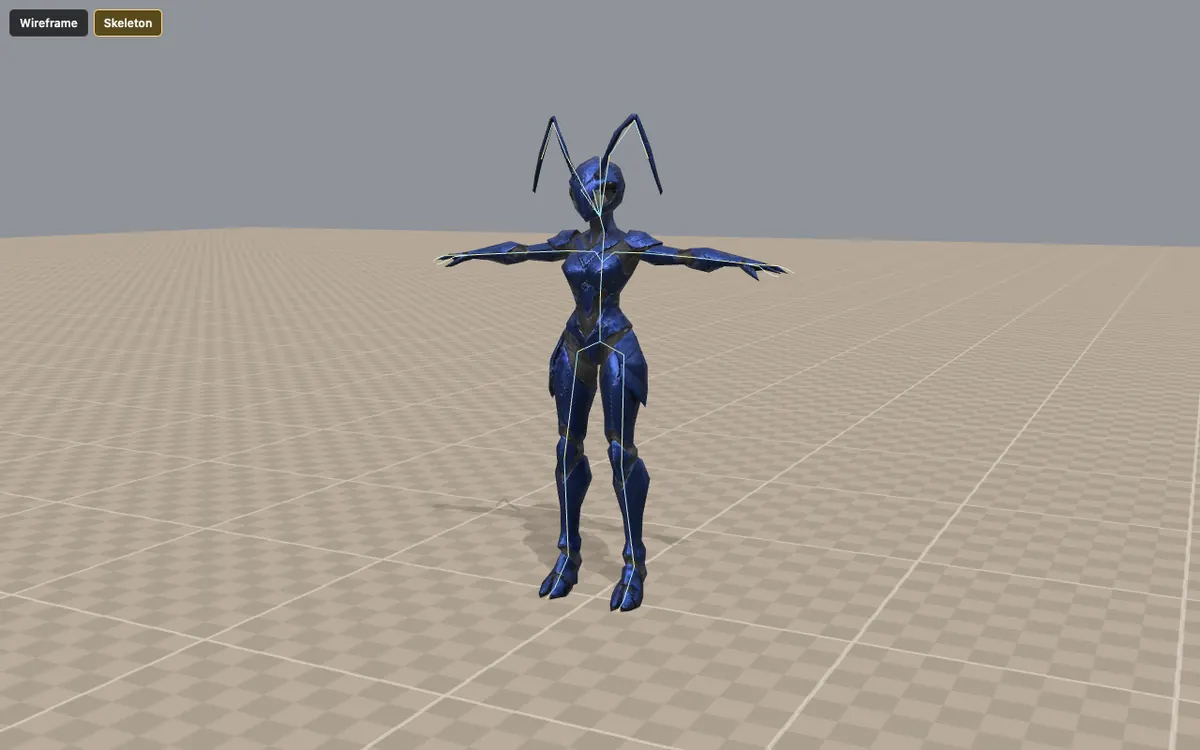
The result is the skeleton of the game: 49 bones with the bone names of Mixamo, and three bones in each antenna. All the ant bodies use this skeleton, so every ant body can play every animation.
6 The animation
A standard skeleton lets us use standard motion. The Worker's clips come from Mixamo's locomotion, farming and axe packs. A second Blender script moves each clip onto the body:
- It copies the rotation of each bone in world space, frame by frame, and it checks each frame against the source.
- It removes the forward travel from the walk and run loops and records their speed: 1.57 m/s for the walk and 4.11 m/s for the run. The game then moves the unit at that speed, so the feet do not slide.
- It keeps the travel of clips that play once, such as the fall in the death clip.
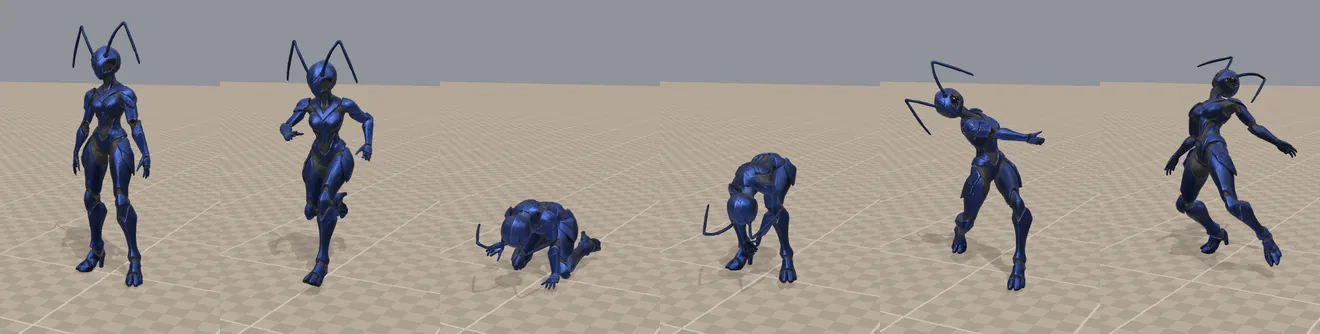
The Worker has 18 clips: idle, walk, run, a side step, a jump, death, digging and planting, picking fruit, pulling a plant, watering, kneeling, standing with a box, walking with a load, pushing a wheelbarrow, an axe stance, two axe swings and planting a tree. On the battlefield, workers jog: the game plays the run cycle at 3 m/s.
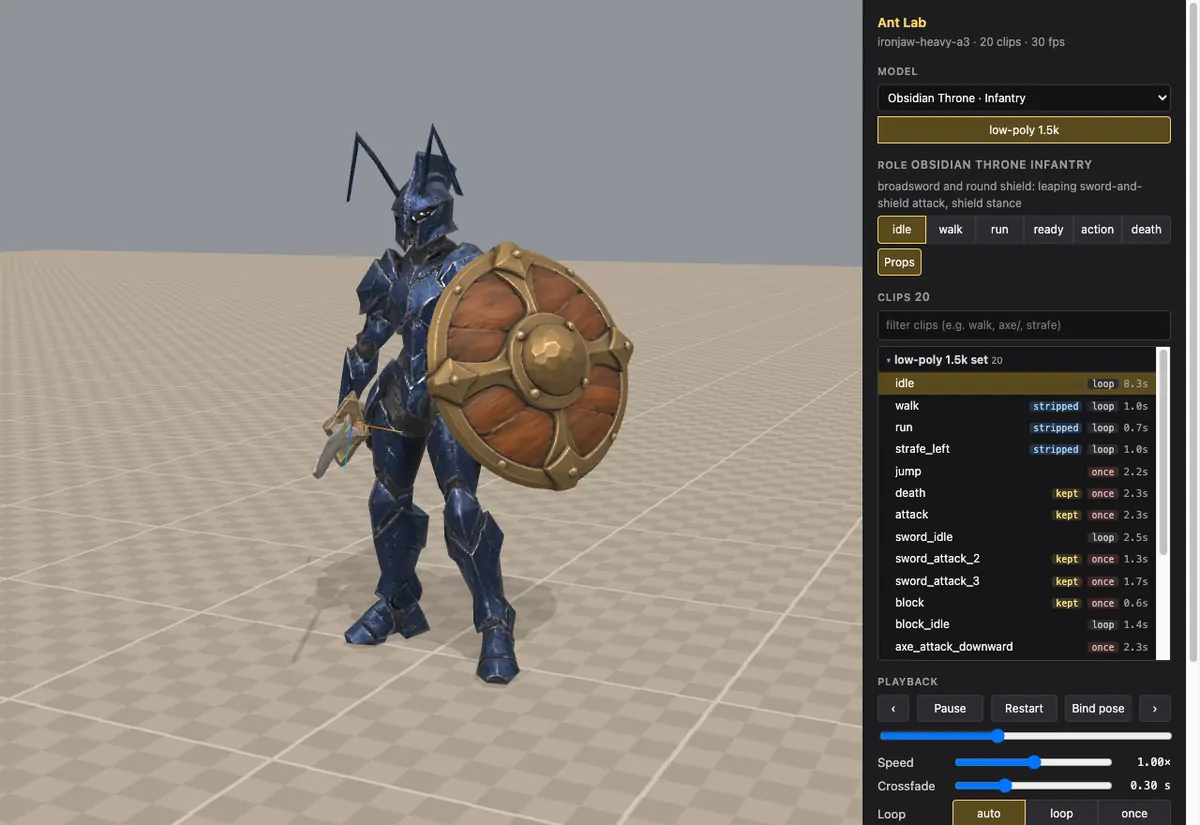
The Ant Lab below is one of our tools. It plays every clip of every ant body. Pick an Obsidian Throne unit in the Model list, then pick a clip. The units with weapons carry them: the Archer's bow, the Crossbowman's crossbow, the Infantry's sword and round shield, and the guns of the later soldiers. A weapon is a separate model, and the game attaches it to a point on a hand bone. All the ants share one skeleton, so all of them can play the same clips.
7 The eyes and the compression
The 3D generator paints the eyes into the body texture. Then any paint on the body also covers the eyes. A last Blender step finds the eyes and moves them to their own glossy black material. Paint, team colours and the mould of the Blight never cover them.
Then a build step compresses each model for the release. The geometry and the animation use meshopt compression. The textures use KTX2 (Basis Universal), and they stay compressed in video memory. For the Worker on the battlefield, the file goes from 2.0 MB to 1.8 MB, and its textures in video memory go from 4 MB to 1 MB. For the detailed build, the textures in video memory go from 64 MB to 8 MB.
8 Into the game
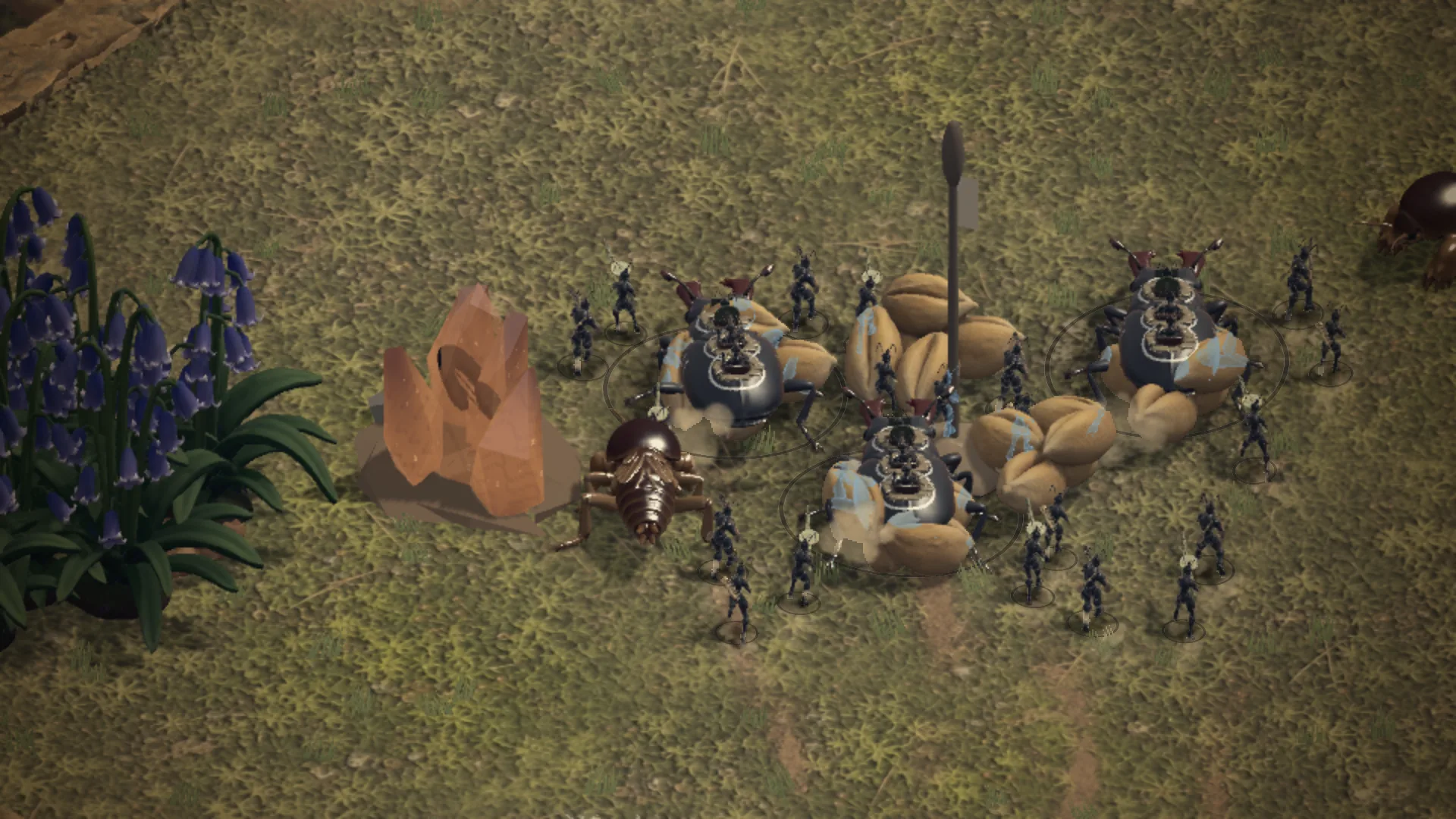
The game is written in JavaScript with three.js. A table of unit classes gives the body for each class and faction. For the Worker of the Obsidian Throne, it is the body that you saw above.
The livery of the faction paints the body when it loads. The shell of the Obsidian Throne is a dichroic paint. It is dark midnight blue when you look at it straight on, and dark brown at a low angle.
Hundreds of ants would need hundreds of draw calls. Instead, the game puts all the units that share a mesh and a material into one instanced draw, and it copies the bones of each unit into one shared texture. Each ant still has its own skeleton and its own animation.
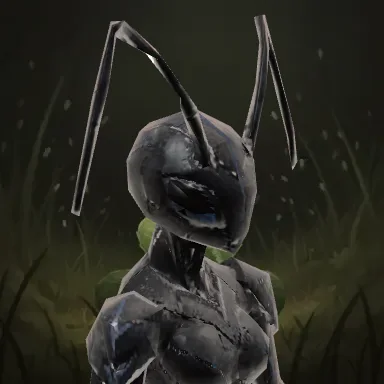
Bryn herself is a few lines of data. They give her the Worker unit, the Obsidian Throne, the title "Crew lead", a pale dot of face paint as her mark, a painted clover leaf on the home pasture as her portrait background, and her voice. Her portrait card shows the Worker's head and shoulders, facing right, over that background. The mark shows on her portrait card today. A decal on the model comes later.
Try the tools
Two more of our tools are below. Like the Ant Lab, they show only the Obsidian Throne.
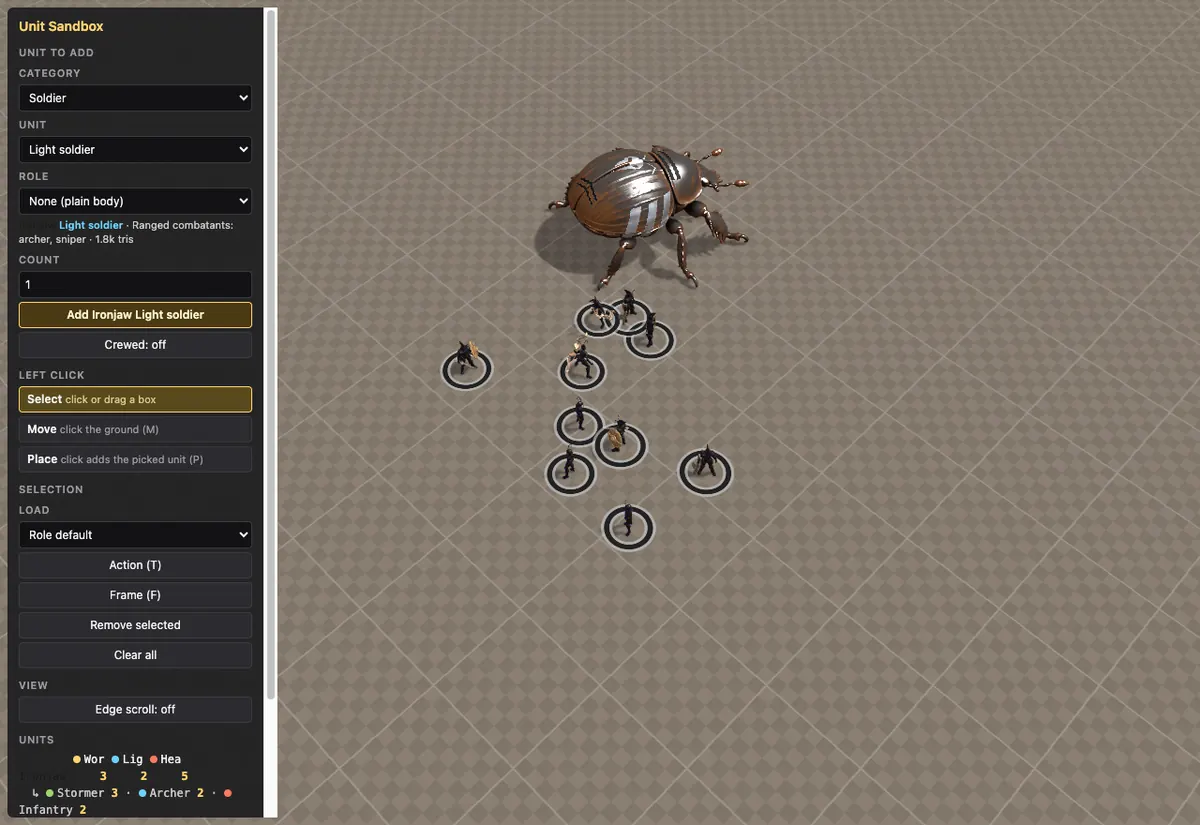
The Unit Sandbox is where we test units before they go into the game. Pick a unit and click Add. Click a unit or drag a box to select units, then right-click the ground to move them. Press T to make the selected ants act, for example to swing a sword or to draw a bow. Use the wheel to zoom, and drag with the middle button to move the view.
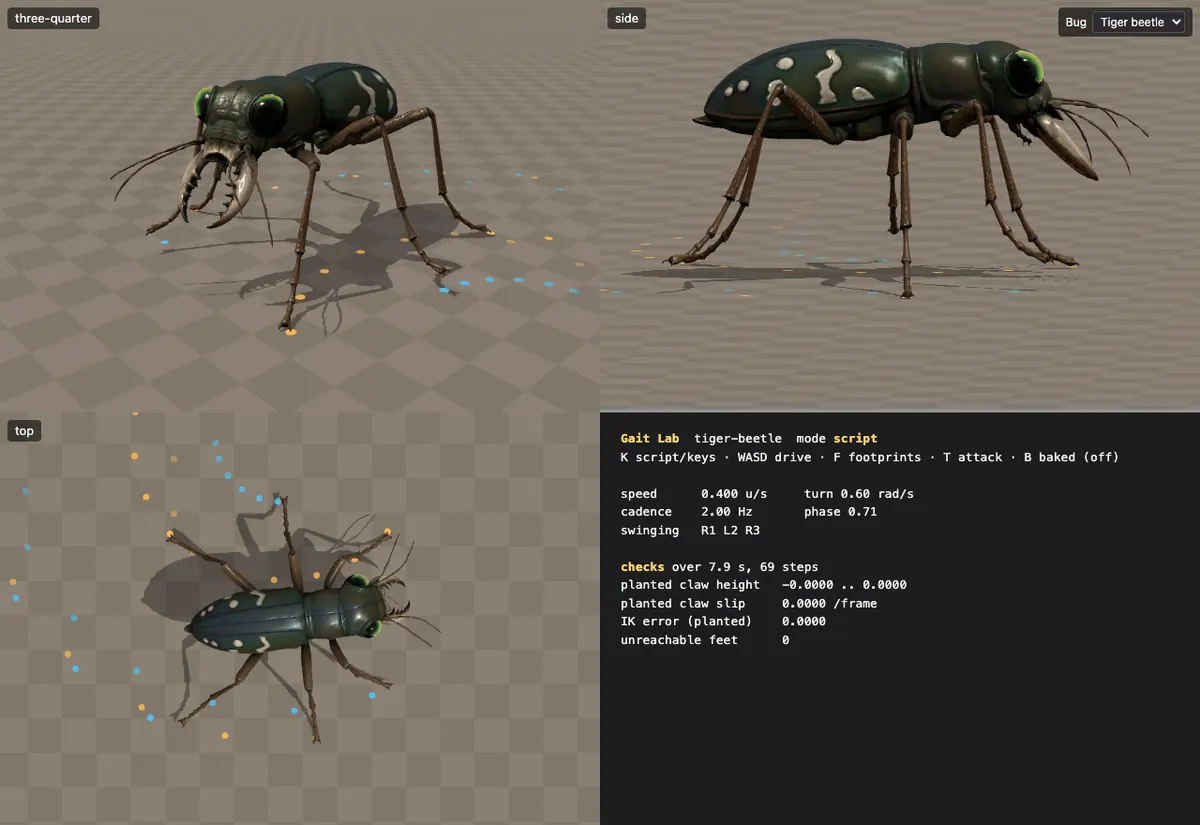
The beetles do not use the skeleton of the ants. Each part of a beetle's body and legs is a rigid shell, as on a real insect. A procedural gait moves the legs: the body moves, and each leg steps to keep up with it. We record clips from this gait, and the game plays the clips, as it does for the ants. The Gait Lab shows a beetle from three sides, with checks that the planted feet do not slide. Pick the dung beetle or the tiger beetle in the top right corner. Press T to make the beetle attack, and press B to switch between the live gait and the recorded clips.
What we learned
- Put the rules that the image model needs into the prompt, even when they sound strange.
- Draw for the machine, not for the viewer. The T-pose sheet is worth the extra step.
- Use a script for every step after the image. Then a fix to one step can run again on every body.
- Keep one record for each body. The spec file tells you what made each model and how.
- Look at every result. Each step makes a check render, and a person looks at it before the next step starts.
Bryn is in Act 1 of the campaign, The Gift.